A new Manage Groups experience will be available beginning September 25, 2026.
The updated interface offers a streamlined way to view and manage group categories, access associated activities, and edit group names and codes in bulk.
This feature is currently optional. After launch, you can choose to try the new experience and may opt out if you prefer the current Groups interface.
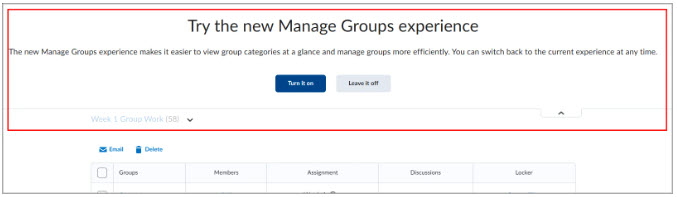
Navigate to the Manage Groups page within your course to explore the new experience after it becomes available.
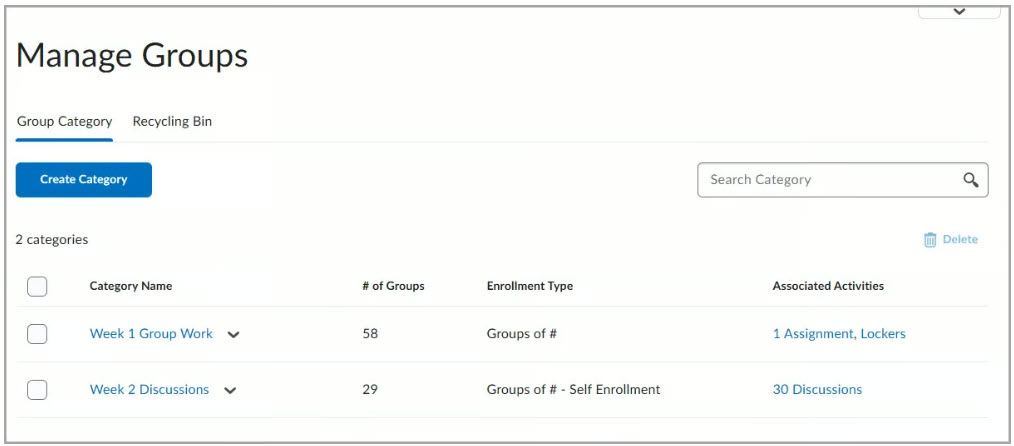
If you choose to opt in, all group categories appear on a new page. This page helps you quickly validate group setup by showing existing categories and their configurations. You can view each category’s enrollment type, number of groups, and associated activities. Each activity links to its related discussion or assignment.
For additional information on the New Manage Groups Experience, including instructions for creating Categories and Groups, see Create and manage categories and groups.